Dify Integration Guide
Dify is an open-source large language model (LLM) application development platform. It combines Backend as a Service (BaaS) and LLMOps concepts, enabling developers to quickly build production-grade generative AI applications. By configuring Daya, you can access a wider selection of models beyond the base models provided by Dify.
Configuration Steps
1. Obtain a Daya API Key
Go to the Daya Console to create and retrieve your API Key.
2. Open the Dify Website
- Open the Dify website
- Click the Get Started button and sign in
- Click your avatar in the upper-right corner and select Settings -> Model Provider
3. Configure the OpenAI-API-compatible Service
Configuration Notes
You only need to configure OpenAI-API-compatible to unlock all Daya models.
In Dify settings:
- Select OpenAI-API-compatible: Search for and select OpenAI-API-compatible
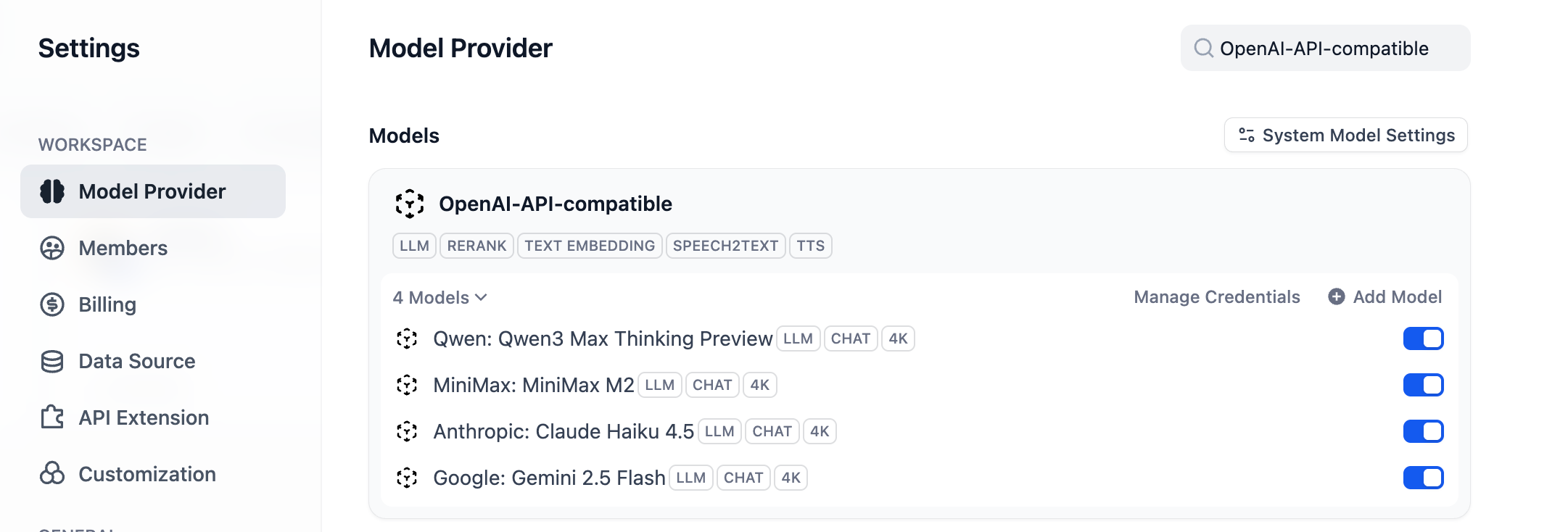
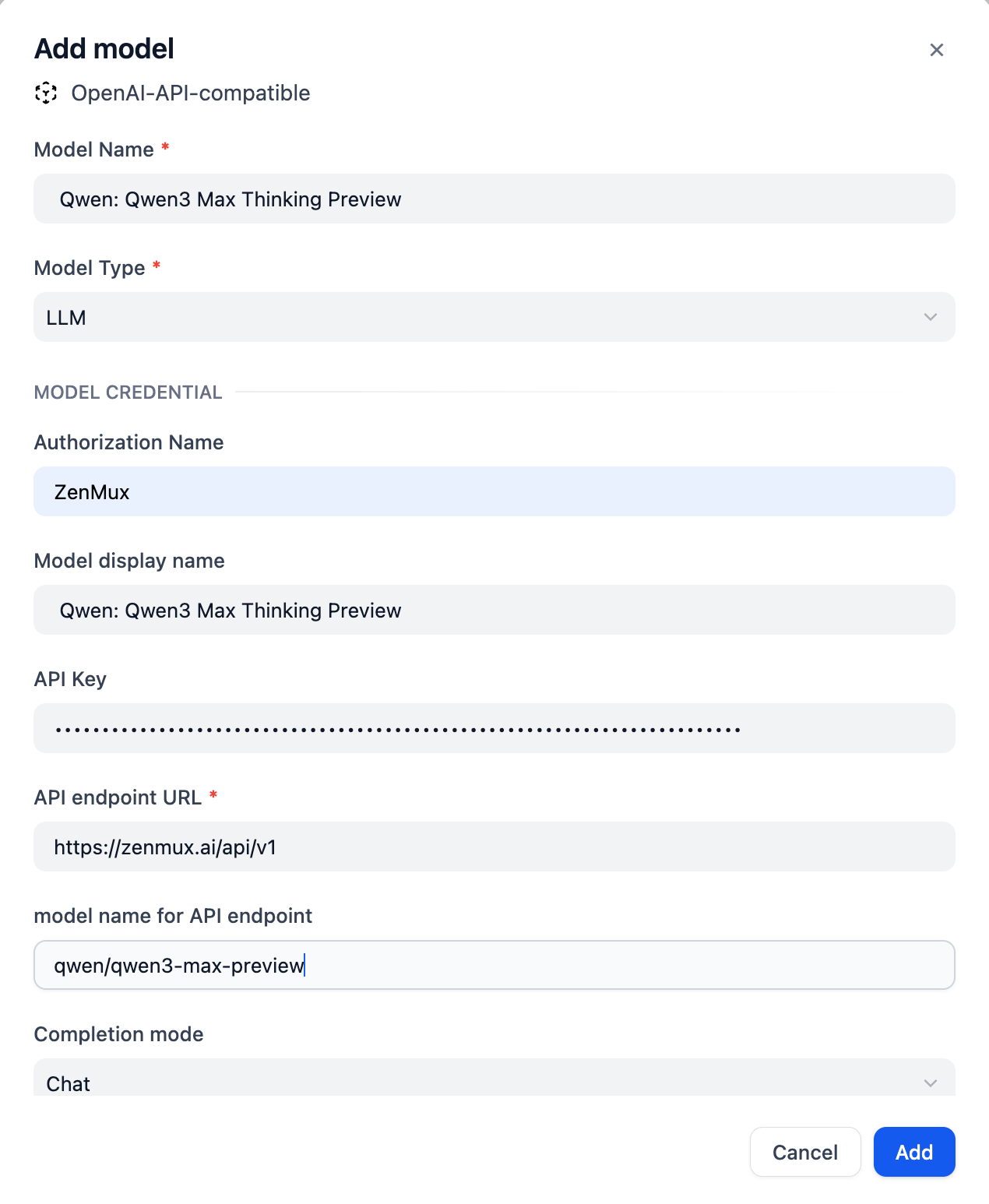
- Add Models: Click Add Model, add the models you need, and enter the required details
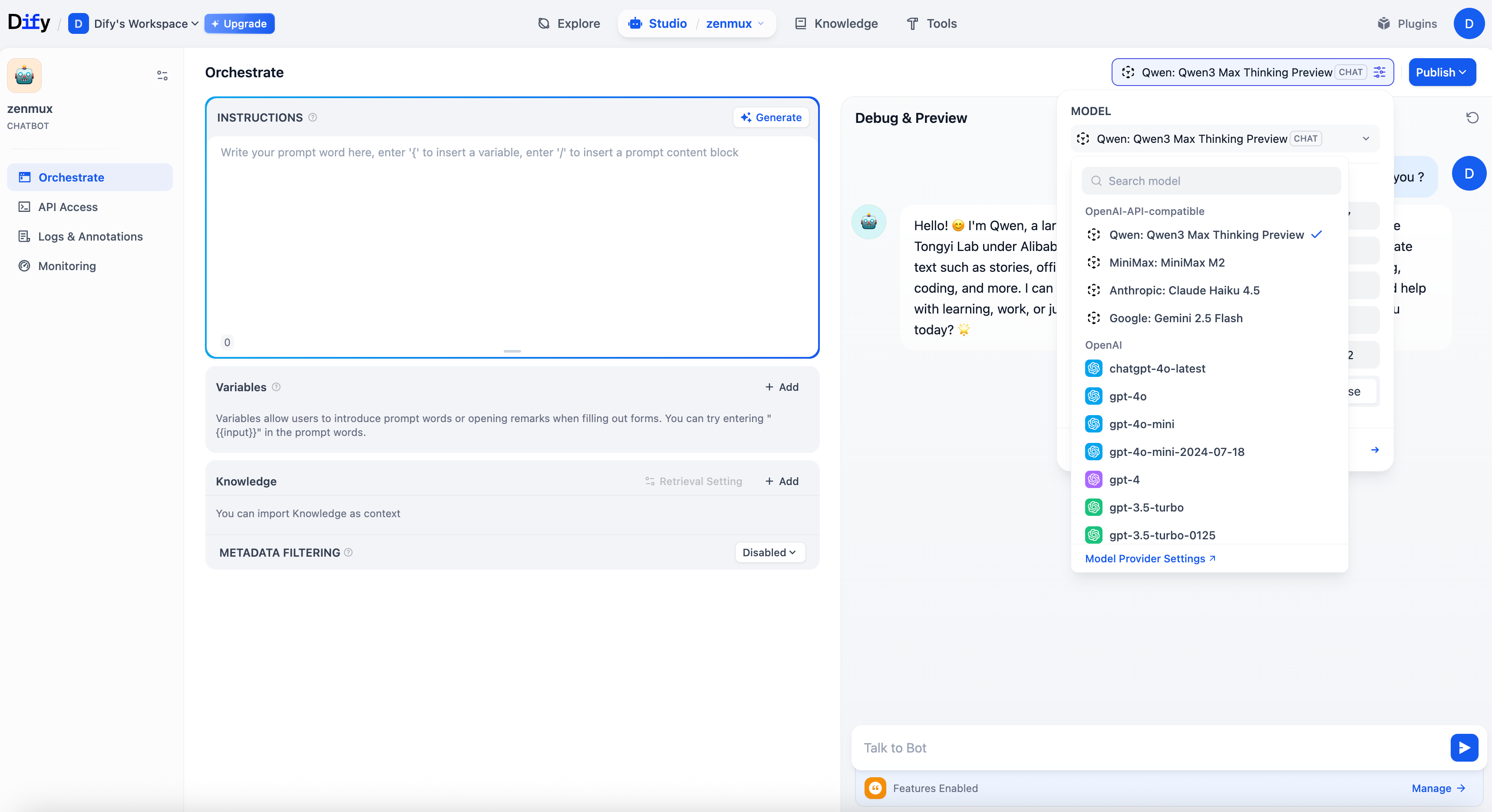
- Create a New Chatbot: Create a new Chatbot, then select your desired model from the model list in the upper-right corner
4. Supported Models
Daya provides a rich selection of models for Dify. View all available models in the Daya Model List
Troubleshooting
Common Issues
API Key Error
Issue: The system indicates the API Key is invalid or unauthorized
Solution:
- Check that the Daya API Key you entered is correct
- Confirm the API Key is active and has sufficient balance
- Verify that the API Key format starts with
sk-ai-v1-
Contact Us
If you encounter any issues while using the platform or have suggestions and feedback, please reach out via:
- Customer Group: We strongly recommend scanning the QR code on the dayaai.com homepage to join the group, so you can report issues and communicate with us promptly.
- WeChat Support: dayaai_com
- Technical Support Email: cs@dayaai.com