Guide to Using OpenCode with Daya
OpenCode is a terminal-first AI coding agent. Through its integration with Daya, you gain access to more powerful models to boost development efficiency.
Install OpenCode
OpenCode offers multiple installation methods. Choose the one that best fits your system environment:
# Use the installation script (recommended)
curl -fsSL https://opencode.ai/install | bash# Install with npm
npm i -g opencode-ai@latest
# Or install with pnpm
pnpm i -g opencode-ai@latest
# Or install with yarn
yarn global add opencode-ai@latest
# Or install with bun
bun i -g opencode-ai@latest# Install via Homebrew (macOS and Linux)
brew install sst/tap/opencode# Install via Scoop
scoop bucket add extras
scoop install extras/opencode
# Or install via Chocolatey
choco install opencode# Install via paru
paru -S opencode-binMore Installation Methods
For more detailed installation options and instructions, please refer to the OpenCode official documentation
Configure OpenCode
Sign in and configure Daya
After installation, you need to configure OpenCode to use the Daya API.
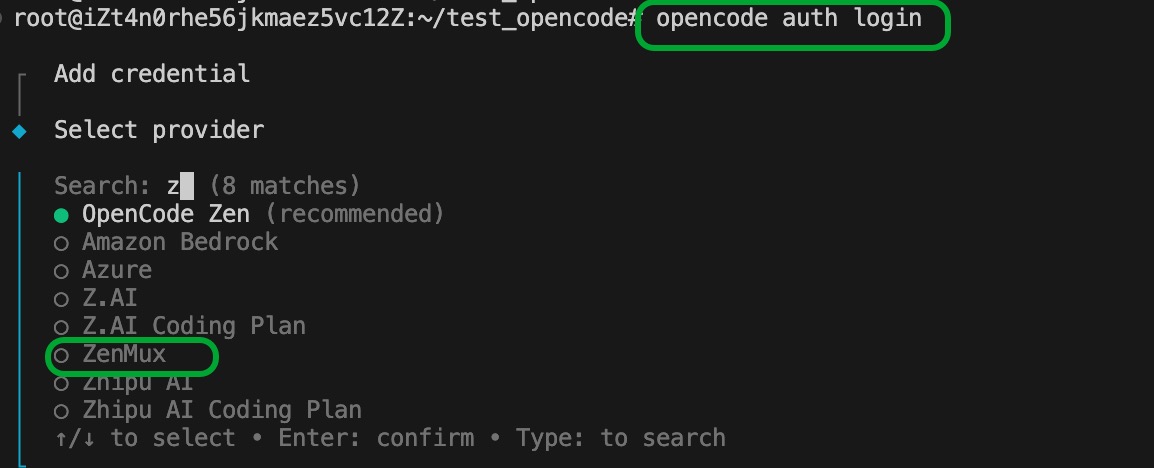
Step 1: Launch OpenCode and sign in
On first use, OpenCode will prompt you to sign in and configure:
opencode auth loginSelect Daya in the provider selection screen:
Important Note
Please ensure you select Daya as your API provider, not another vendor.
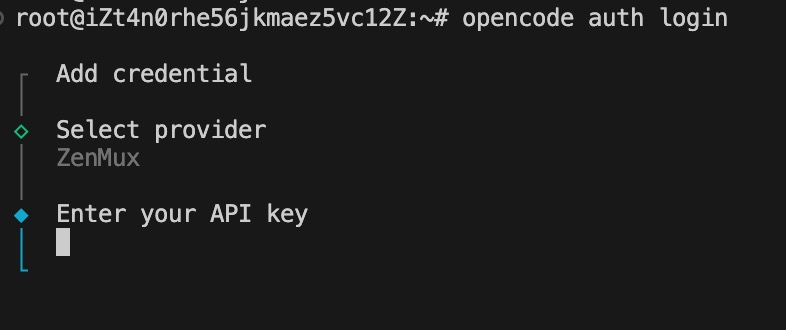
Step 2: Enter your Daya API Key
After selecting Daya, you will be prompted to enter your API Key. Please enter your Daya API Key (format sk-ai-v1-xxx):
Get API Key
You can obtain or create your API Key in the Daya Console.
Step 3: Choose a model
Once configured, use the /models command to view and select available models:
# Launch OpenCode
opencode

# List available models
/models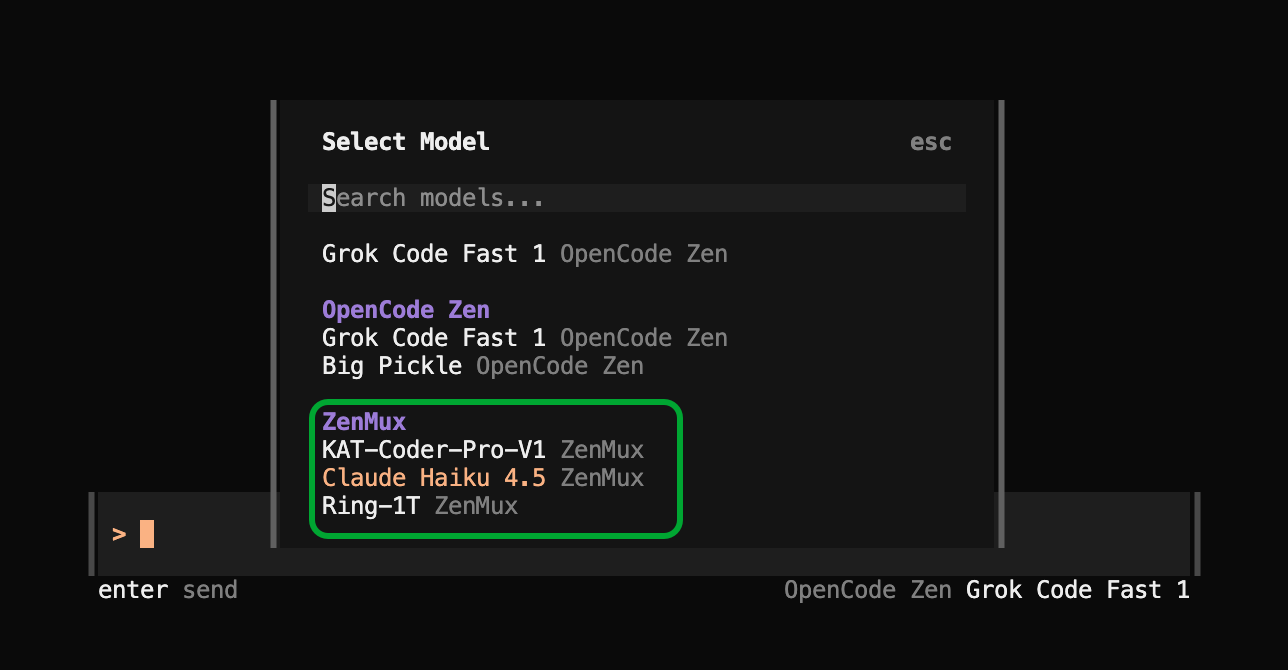
Supported Models
Daya provides a wide range of models for OpenCode. Below is the current list of supported models (continuously updated):
Model Update Notes
The table below lists recommended models that have been verified to work with OpenCode. If you need other models, please contact us via the methods at the bottom of the page. We will provide native support as soon as possible.
| No. | Model Name | Model Slug |
|---|---|---|
| 1 | Ling-1T | inclusionai/ling-1t |
| 2 | Ring-1T | inclusionai/ring-1t |
| 3 | Claude Haiku 4.5 | anthropic/claude-haiku-4.5 |
| 4 | Claude Opus 4.1 | anthropic/claude-opus-4.1 |
| 5 | Claude Sonnet 4.5 | anthropic/claude-sonnet-4.5 |
| 6 | DeepSeek-V3.2-Exp (Non-thinking Mode) | deepseek/deepseek-chat |
| 7 | Gemini 2.5 Pro | google/gemini-2.5-pro |
| 8 | KAT-Coder-Pro-V1 | kat-ai/kat-coder-pro-v1 |
| 9 | Kimi K2 0905 | moonshotai/kimi-k2-0905 |
| 10 | GPT-5 Codex | openai/gpt-5-codex |
| 11 | GPT-5 | openai/gpt-5 |
| 12 | Qwen3 Coder Plus | qwen/qwen3-coder-plus |
| 13 | Grok 4 Fast Non Reasoning | x-ai/grok-4-fast-non-reasoning |
| 14 | Grok 4 Fast | x-ai/grok-4-fast |
| 15 | Grok 4 | x-ai/grok-4 |
| 16 | Grok Code Fast 1 | x-ai/grok-code-fast-1 |
| 17 | GLM 4.5 Air | z-ai/glm-4.5-air |
| 18 | GLM 4.6 | z-ai/glm-4.6 |
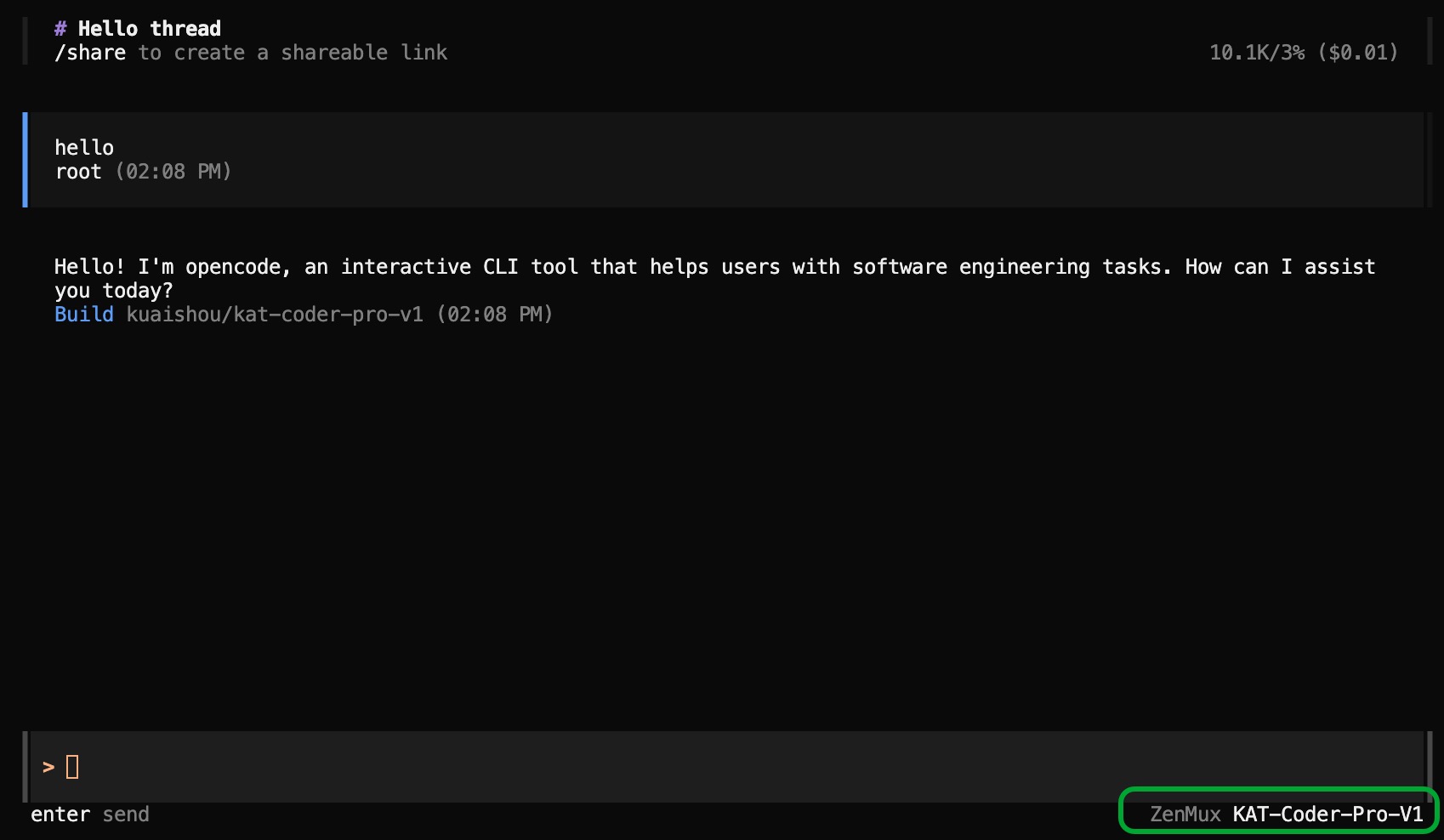
Usage Experience
Once configured, OpenCode delivers powerful AI-assisted coding capabilities:
Troubleshooting
Common Issues
API Key Error
Issue: API Key reported as invalid or unauthorized
Solution:
- Verify that the Daya API Key you entered is correct
- Confirm the API Key is active and has sufficient balance
- Check that the API Key format starts with
sk-ai-v1- - Re-run the
opencodecommand and reconfigure
Contact Us
If you encounter any issues while using the platform or have suggestions and feedback, please reach out via:
- Customer Group: We strongly recommend scanning the QR code on the dayaai.com homepage to join the group, so you can report issues and communicate with us promptly.
- WeChat Support: dayaai_com
- Technical Support Email: cs@dayaai.com